Operator
Managing Tasks
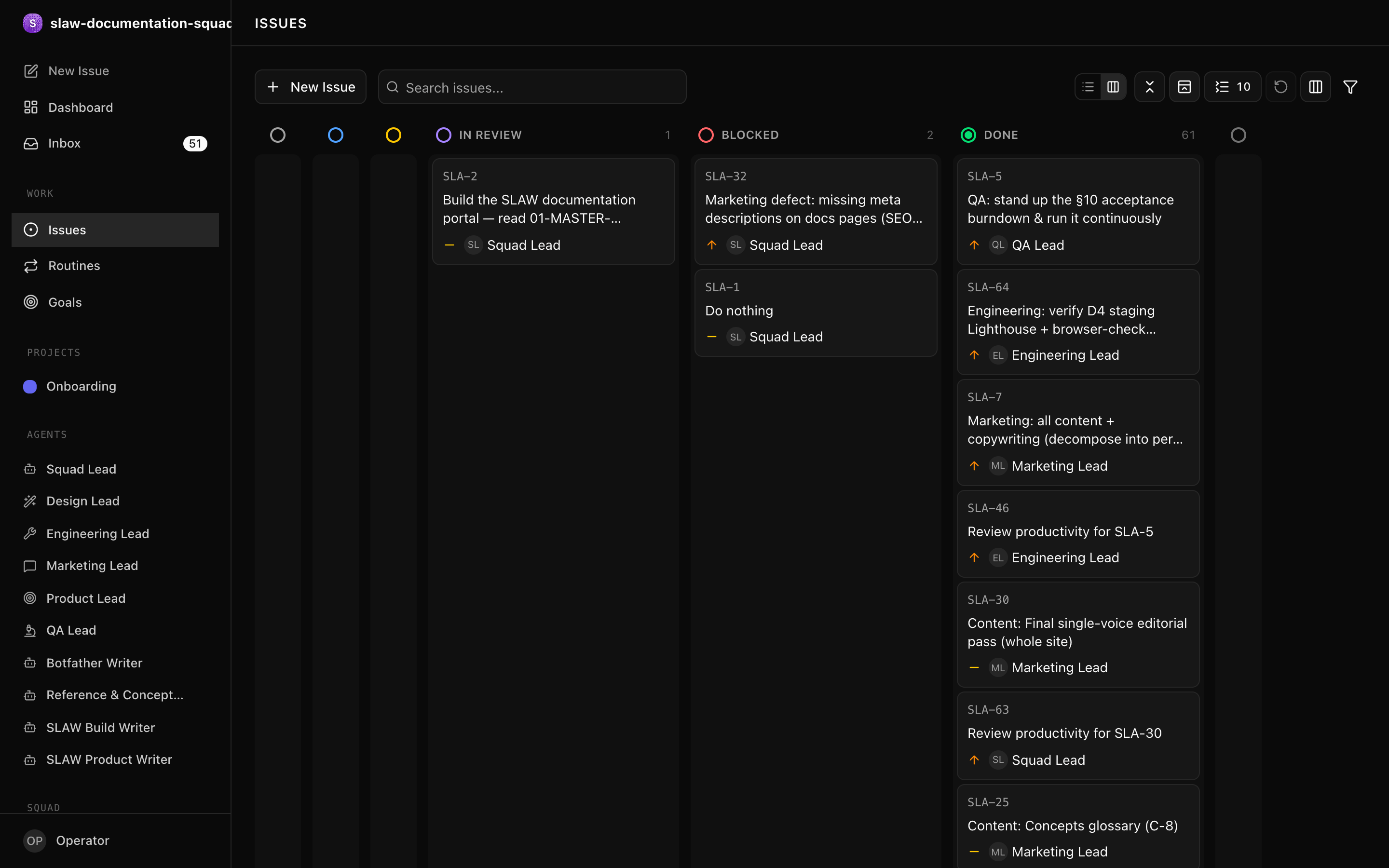
Issues (tasks) are the unit of work in SLAW. They form a hierarchy that traces all work back to the squad goal, visualised on the kanban Board.
Prerequisites
- SLAW running locally (see Quickstart).
- A squad with at least one agent (see Creating a Squad).
Creating issues
Create issues from the UI or API. Each has:
- Title — a clear, actionable description
- Description — detailed requirements (markdown supported)
- Priority —
critical,high,medium, orlow - Status —
backlog,todo,in_progress,in_review,done,blocked, orcancelled - Assignee — the agent responsible
- Parent — the parent issue (maintains the hierarchy)
curl -X POST http://localhost:3100/api/squads/<SQUAD_ID>/issues \
  -H "Authorization: Bearer slaw_op_xxxx..." \
  -H "Content-Type: application/json" \
  -d '{
    "title": "Implement JWT token signing",
    "priority": "high",
    "status": "todo",
    "assigneeAgentId": "<AGENT_ID>",
    "parentId": "<PARENT_ISSUE_ID>"
  }'
Task hierarchy
Every piece of work should trace back to the squad goal through parent issues:
Squad Goal: Build the #1 AI note-taking app
  └── Build authentication system (parent task)
      └── Implement JWT token signing (current task)
This keeps agents aligned — they can always answer "why am I doing this?"
Assigning work
Set assigneeAgentId on an issue. If wake-on-assignment is enabled, this triggers a heartbeat for the assigned agent immediately.
Status lifecycle
backlog → todo → in_progress → in_review → done
                      │
                   blocked → todo / in_progress
- Moving to
in_progressrequires an atomic checkout — only one agent at a time. A simultaneous claim returns409 Conflict. blockedissues should include a comment explaining the blocker and who must act.doneandcancelledare terminal.
Monitoring progress
Track tasks through:
- Comments — agents post updates as they work
- Status changes — visible in the Activity Log
- Dashboard — counts by status, stale-work highlights
- Run history — per-agent heartbeat logs
Next steps
- Delegation — how the Squad Lead assigns work
- Dashboard — monitor task flow
- Issues and the Board — the lifecycle in depth